

Home Screen
The Home Screen is the starting screen when entering the app. It is used to select the market to open the corresponding All Stocks/Currency Pairs List. Subscription is also handled from this screen, and the app language can be changed from the app menu.
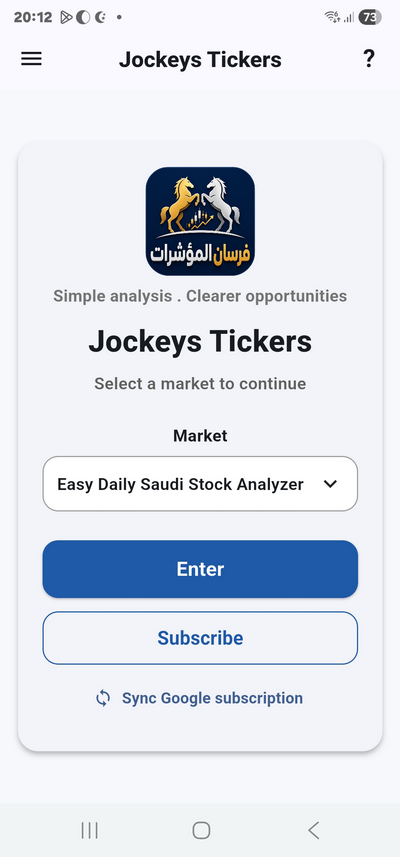
The Screen Contains the Following
(1) Markets List:
Contains the markets supported by the app. The required market is selected from the drop-down list when the user presses the market field.
(2) “Enter” Button:
Opens the All Stocks/Currency Pairs List for the market selected from the markets list. When the trial period expires or the subscription period ends, the user will not be allowed to enter the list screen; the app will display a message explaining that a subscription or renewal is required. Subscription/renewal is then performed from the “Subscribe” button on the same screen.
(3) “Subscribe” button:
To subscribe to the selected market in the market list.
(4) Main App Menu Button:
Displays the main app menu, from which the user can access app options such as language and other app items.
(5) “?” Icon — Page Help:
Opens the help instructions for the current screen.